
INDUSTRY VIDEO
Childcare & Family Services Website Guide
Start here for a practical tour. Once opened, the player follows as you move through the guide and can be returned to its place at any time.
Continue to the recommended structure →
Get your business online
Help families understand care, eligibility, safety, availability, and how to enquire.
For daycares, early-learning centres, family-resource programs, and community support organizations
Families need direct answers about age groups, hours, location, philosophy, availability, fees, inclusion, and safety. Public forms should collect only the minimum information needed for an initial enquiry.
Video overview and workbook
See how the website, business tools and customer journey fit together, then use the matching Childcare & Family Services workbook to shape your own pages.
Start here for a practical tour. Once opened, the player follows as you move through the guide and can be returned to its place at any time.
Continue to the recommended structure →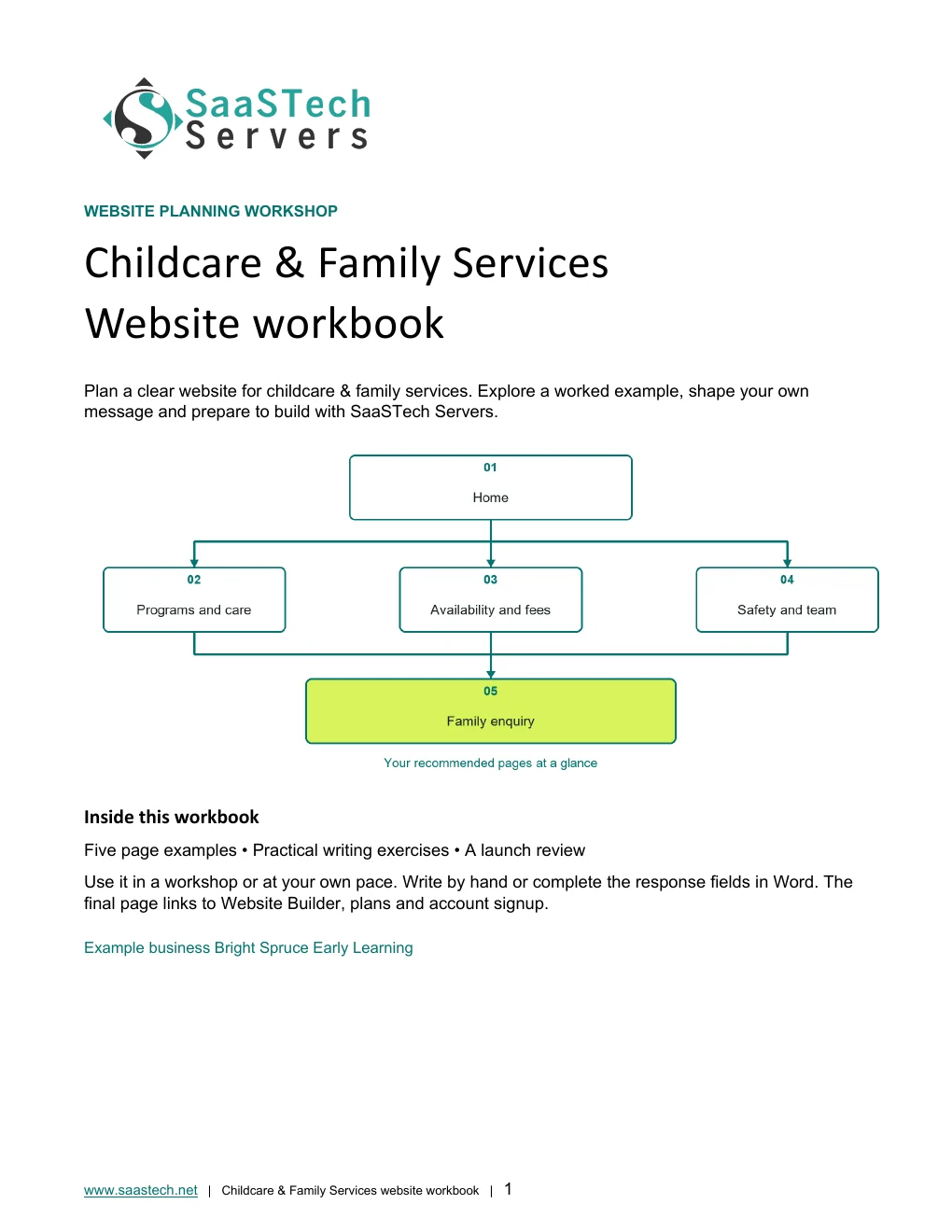
A website-planning guide in editable Word and print-ready PDF, with an example page plan, sample wording and space to draft your own content. Adapt the fictional example and confirm the details for your business.
View all templates and resources →Recommended structure
Start with this compact structure and add pages only when they answer a distinct visitor question.

See what you can build
These real Website Builder screens follow Bright Spruce Early Learning from guided setup to five family-focused pages. Clear program, availability, fee, safety and enquiry information helps families understand the service without requesting sensitive records too early.
First setup
Follow the real guided sequence from a category suggestion to an editable first draft.
Editor highlights
See what you can build
Open the preview to explore the captured themes, logo variations and paint settings in the image viewer.
Selected colours
Default styles
Paint your site
Earn confidence
Be discoverable
Find your domain
Try a .ca, or leave out the ending and we’ll help you find one that fits. The live search confirms current availability and pricing.
Explore country-code and regional domain endings with dedicated SaaSTech help articles. Registration rules and availability vary by registry and are confirmed in the secure storefront. Select an ending to open its specific help article in a new tab.
Where SaaSTech fits
The website strategy comes first. These services provide a practical foundation and can be adjusted for the business.
Choose a short, memorable name that belongs to the business and can be used for both the website and email.
Explore service →FOUNDATIONIt supports visits or introductory appointments, program pages, announcements, and professional communication while sensitive records stay in an approved childcare or case-management system.
Explore service →FOUNDATIONUse the business domain for email, calendars, meetings, Office apps, and organized customer communication.
Explore service →Download templates branded for Bright Spruce Childcare. Complete the fields in Word or the input cells in Excel, or print the forms and planners for handwriting. Website workbooks also include a print-ready PDF. Adapt the example branding and details for your own business.
A website-planning guide in editable Word and print-ready PDF, with an example page plan, sample wording and space to draft your own content. Adapt the fictional example and confirm the details for your business.
SaaSTech example templates, not official Microsoft templates. Keep confidential records in your approved private systems. These files do not connect to Website Builder or submit information.
Put the services to work
These examples connect the technology to everyday customer and team needs in childcare & family services.
Use one recognizable domain for the centre website, staff email, enrolment updates, newsletters, and community listings.
Publish age groups, routines, hours, fees, availability, inclusion, safety, and visit options before asking families to enquire.
Use role-based accounts and shared calendars for tours and initial enquiries while child records stay in the approved care-management process.
Before going live